PlantGrail - AI Plant Scanner, for iPhone
PlantGrail is an iPhone app that tells you what is wrong with a plant from one photo
Take a photo of the leaf, stem or soil that worries you. PlantGrail names the likely problem, tells you the one thing to do now, answers follow-up questions about the result, and helps you check a week later whether the plant is recovering.
Free to download, with 3 free scans that never expire, as of .
What does the PlantGrail app do?
PlantGrail looks at one photo of a sick houseplant and tells you the most likely cause, such as overwatering, root rot, pests or too little light, plus what to check next to confirm it. You can ask follow-up questions about each result, keep your plants in My Garden with care reminders, and run a weekly check-in scan to see whether your fix is working. It runs on iPhone; there is no Android app.
Is PlantGrail free?
Partly. The app is free to download and every new install includes three free scans that do not expire. After that, PlantGrail Premium unlocks unlimited scans and the Premium-only scan types. Prices below are as of ; the App Store shows the current price in your currency.
- Download
- Free
- Free scans
- 3, and they never expire
- Premium, monthly
- $7.99/month
- Premium, yearly
- $39.99/year
- Free trial
- 7 days
- Web symptom checker
- Free, no download or account (open the checker)
What can you scan?
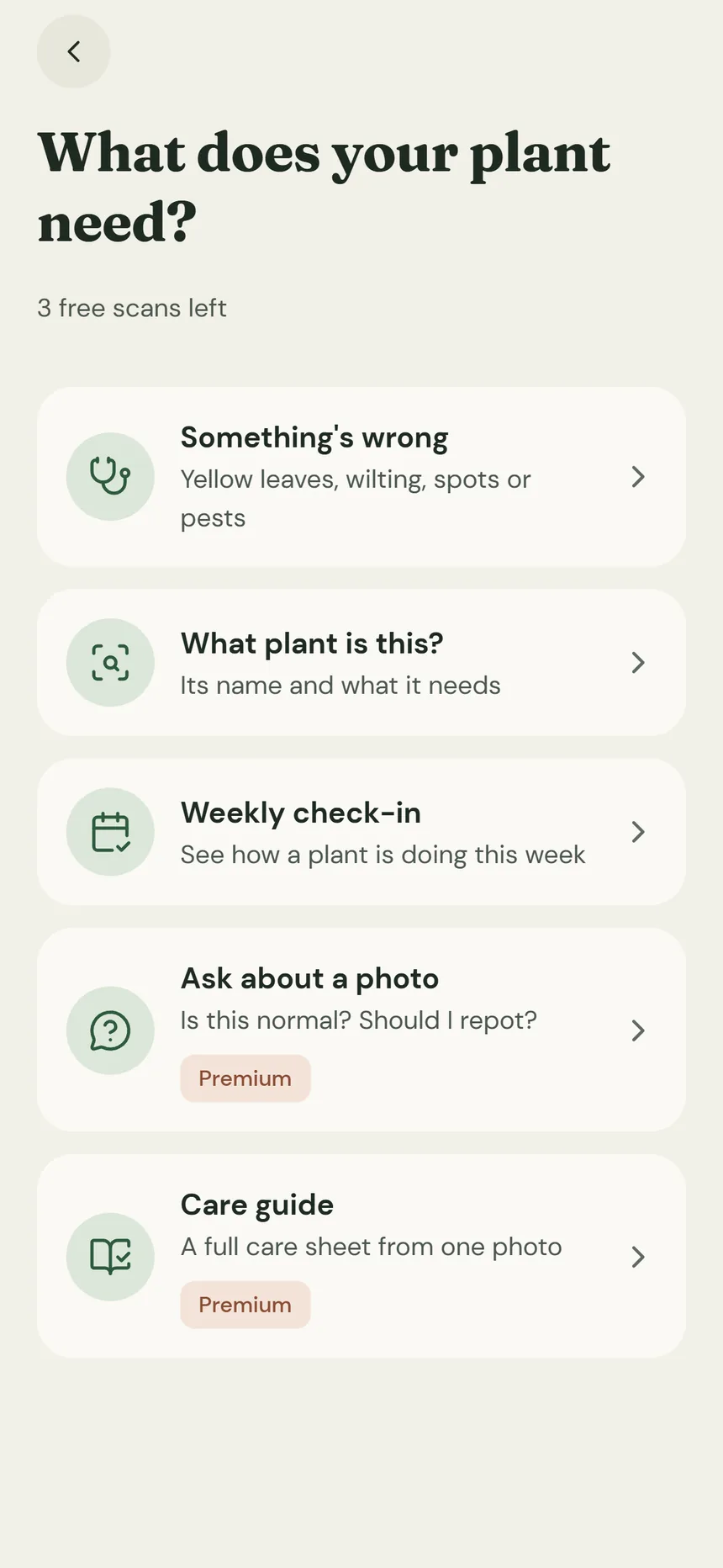
You start by choosing what you are doing, so a yellow leaf, a new plant and a weekly check do not get mixed up.
-
Something is wrong
Photograph the leaf, stem or soil that worries you. The app names the likely problem and what to check next.
Uses a free scan
-
Identify this plant
Find out which plant you have, so the care advice fits it.
Uses a free scan
-
Weekly check-in
Scan again a week later to see whether the plant is responding before you change anything else.
Uses a free scan
-
Ask a question
Ask things like “Is this normal?” or “Should I repot?” about your plant.
Premium
-
Care instructions
Get a care guide for a plant you are looking at, for example in a shop.
Premium
Reading this on a computer?
PlantGrail runs on iPhone. Open the App Store on your iPhone and search for “PlantGrail”, or type this address into Safari on your phone:
How reliable is a photo diagnosis?
A scan is a lead, not laboratory proof. Plant symptoms overlap: yellow leaves can come from too much water, too little water, root damage, low light, nutrient stress or ordinary leaf aging. A useful result tells you what to check next and what evidence would change the answer, so photograph the part that matters and follow up a week later.
No phone handy? The free web symptom checker gives you a ranked starting point without a download or account.
What else is in the app?
- Follow-up questions about each scan result
- My Garden, a care calendar and optional reminders
- Weekly check-ins to see whether a plant is recovering
- A Learn tab with plant-care topics and courses
How does PlantGrail compare with other plant apps?
These guides compare features and prices so you can pick the app that fits the job.